What to look for in a wearable safety alarm for older adults
Living independently at home is something many older adults value deeply. The familiar surroundings, the routines, the sense of control over daily life, all of it matters. Yet a single fall or a sudden health event can change everything in seconds. That is where a wearable safety alarm comes in. It is not a replacement for human connection or for a sensible care plan. Instead, it is a practical layer of protection that lets someone get help fast, even when they cannot reach a phone.
But not every alarm is the same. Some rely on a landline base unit that only works inside the house. Others use mobile networks and GPS so they work in the garden, at the shops, or on a walk. Some have fall detection built in; some require the wearer to press a button. Some charge a monthly monitoring fee; others do not. The right choice depends on the person’s habits, health, and home. The checklist below walks through the main points to consider before buying a wearable safety alarm.
Check the coverage range
The first thing to check is where the alarm actually works. Many older devices use a base station connected to a landline. The wearable pendant communicates with that base station by radio, and the range is typically limited to about 50-100 metres indoors. That is fine if the person never leaves the house alone, but it leaves them unprotected in the backyard, at the mailbox, or in the carport.
Newer alarms use a mobile network, usually 4G or 5G, so the pendant works anywhere there is mobile coverage. That means the wearer can go for a walk, visit a neighbour, or travel to a doctor’s appointment and still have the SOS button with them. For anyone who spends time outside the home, mobile coverage is a key feature. Check that the alarm uses a network with good reception in your area, especially if you live in a regional or rural part of New Zealand.
Look at the SOS button and how it is worn
The alarm is only useful if it is actually worn. That sounds obvious, but many older adults stop wearing a pendant because it is uncomfortable, gets in the way, or feels embarrassing. The best alarms are designed to be worn daily without fuss. Look for a pendant that is waterproof enough to wear in the shower, that is where many falls happen, and light enough to forget about.

Some alarms come as a wristwatch-style device. Others are a pendant on a cord or a clip-on unit. The right form factor depends on the person’s preferences and dexterity. If they have arthritis, a small button on a tiny pendant might be hard to press. A larger button or a watch-style device may be easier. Also check whether the SOS button requires a long press or a single press. A long press reduces false alarms but can be frustrating in a real emergency when seconds count.
Fall detection: useful but not foolproof
Fall detection is often marketed as the killer feature in a wearable safety alarm, and it can be genuinely useful. An automatic fall sensor can trigger an SOS call even if the wearer is unconscious or unable to press the button. That is a significant safety net for someone who lives alone or has a medical condition that could cause a collapse.
But fall detection technology is not perfect. It can miss some falls, especially slow or controlled ones, and it can sometimes trigger a false alarm when the wearer drops the pendant or bends over quickly. Most systems let the wearer cancel the alarm within a short window if it was a false trigger. Still, it is important to understand what the device’s fall detection can and cannot do. Read the product details carefully and do not assume that any alarm with fall detection will catch every fall. It is a supplement to the manual SOS button, not a replacement.
Check the emergency response path
When the SOS button is pressed or a fall is detected, what happens next? That is the most important question of all. Some alarms call a monitoring centre that dispatches help. Others simply send an alert to a family member or a neighbour. The right setup depends on the person’s support network.
For someone with nearby family who can respond quickly, a direct alert to a family member’s phone may be ideal. The alert can include the person’s location if the device has GPS. For someone whose family lives far away, a monitored alarm that calls emergency services may be a better fit. Some systems, like the one from familyr.co.nz, combine both approaches: the alarm alerts the wearer’s chosen family contacts first, and those contacts can then call emergency services if needed. That keeps the response personal and avoids the delays that can happen with a remote call centre.
Consider the battery and charging routine
A safety alarm that runs out of battery is no safety alarm at all. Most devices use a rechargeable battery that lasts anywhere from a day to several weeks between charges. The charging routine matters. If the device has to be docked every night, the wearer might forget to do it. If the battery lasts several days, the risk of a dead battery during the day is lower, but the wearer still needs to remember to charge it regularly.

Some alarms use a standard USB charger, which is convenient. Others use a proprietary charging dock. Check whether the device gives a low-battery warning, either with a light or a sound, so the wearer knows to charge it before it dies. Also check whether the alarm still works while charging. Some devices are unusable during charging, which leaves a gap in coverage. For peace of mind, a device with a long battery life and a clear low-battery alert is a good choice.
Think about two-way calling
Two-way calling means the person at the alarm’s monitoring end can talk to the wearer through the pendant itself. That is useful in several ways. If the alarm is triggered accidentally, the wearer can speak to the operator and cancel the alert without anyone needing to visit. If the wearer is confused or injured, the operator can ask questions and assess the situation before sending help.
For a system that alerts family members directly, two-way calling can work a little differently. The family member receives the alert and can call the wearer back on their phone. But if the wearer has fallen and cannot reach the phone, that does not help. A pendant with a built-in speaker and microphone allows the family member to talk to the wearer through the alarm itself, which can be reassuring for everyone. When looking at a wearable safety alarm, check whether it supports two-way voice communication and how that works in practice.
Mobile coverage and GPS accuracy
If the alarm uses a mobile network, the quality of the network matters. In New Zealand, the major mobile networks cover most populated areas well, but there are still pockets with poor reception, especially in rural or hilly regions. Before buying, check the network coverage map for the places where the wearer spends time: home, the local shops, the park, the bus stop. If the alarm loses signal in a spot where the wearer frequently walks, it is not fully protecting them.
GPS accuracy is another factor. Most GPS-enabled alarms can locate the wearer to within a few metres outdoors, which is enough for emergency services or a family member to find them. Indoors, GPS is less reliable. Some devices supplement GPS with Wi-Fi positioning or cellular triangulation to improve indoor location. If the wearer is unlikely to wander far from home, basic GPS may be sufficient. If they travel or drive, more accurate location tracking could be important.
Monthly fees and contracts
Many wearable safety alarms come with a monthly monitoring fee. That fee pays for the call centre, the mobile data plan, and sometimes the device itself. Over time, those fees can add up to more than the cost of the device. Some providers, such as familyr.co.nz, offer a device that does not charge a monthly monitoring fee. Instead, the alerts go directly to family contacts, who respond themselves. That can be a good fit for families who want to stay involved and avoid ongoing costs.
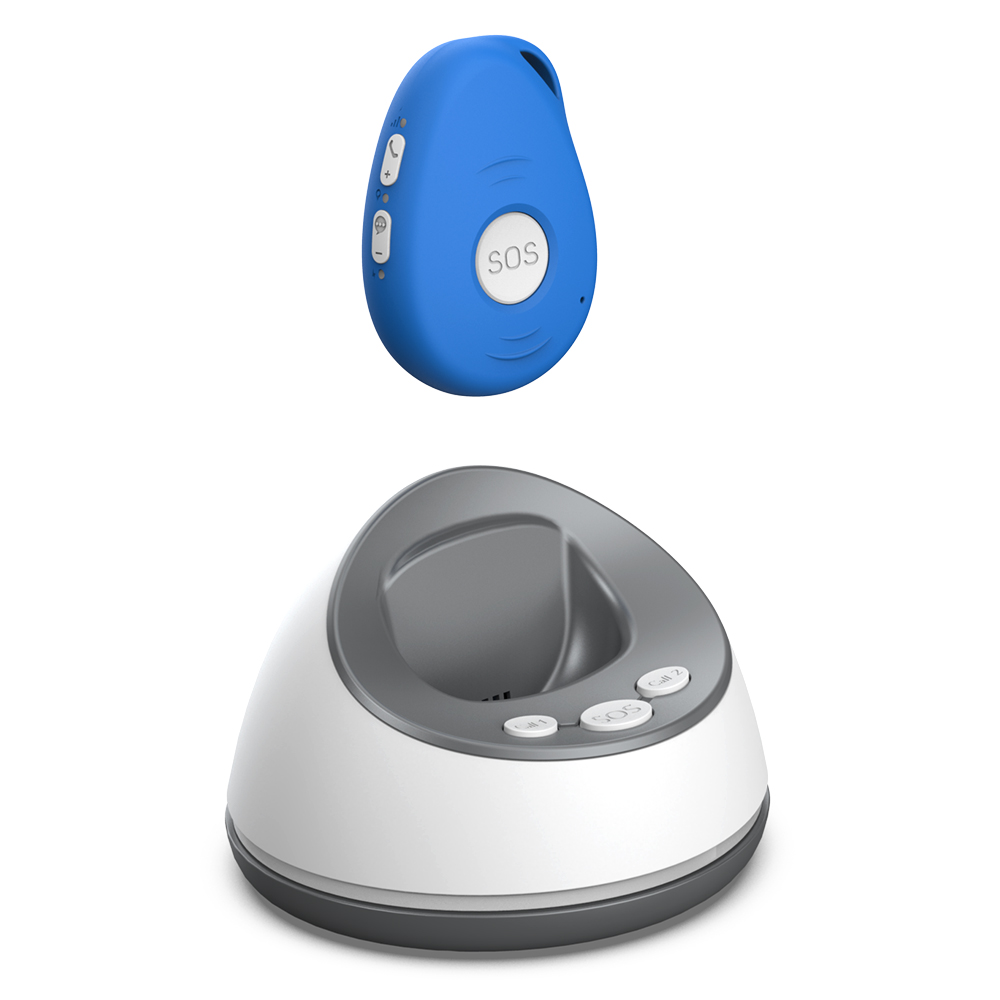
If you choose a monitored service, read the contract terms carefully. Some require a 12-month or 24-month commitment. Others are month-to-month. Check what happens if the wearer goes into hospital or moves into a care home. Can the service be paused or cancelled without a penalty? Also check whether the price includes the SIM card and data, or whether those are extra. A low monthly fee that does not include data can end up costing more than a higher all-inclusive fee.
Test the setup and the daily routine
Before committing to any device, try to test it in the actual home environment. If possible, borrow or buy from a provider that offers a trial period. Set up the alarm, wear it for a day, and press the SOS button to see what happens. Check how loud the speaker is and whether the wearer can hear the two-way voice clearly. Check whether the pendant accidentally triggers while sleeping or moving around. Check how easy it is to charge and to put on each morning.
A wearable safety alarm is a tool, not a solution by itself. It works best when it fits naturally into the person’s existing routine and when the family knows how to respond when an alert comes. Talk through the process together: who gets the alert, what they should do, and how to contact emergency services if needed. A clear care plan that includes the alarm as one part of a broader safety network gives everyone more confidence in independent living.